Play CM 01/02 on iPhone and iPad
Updated 9 November 2026
There has never been a Championship Manager 01/02 for iPhone or iPad, and Apple does not allow the Windows emulators needed to run the original. A browser game is the only way – and it works well.
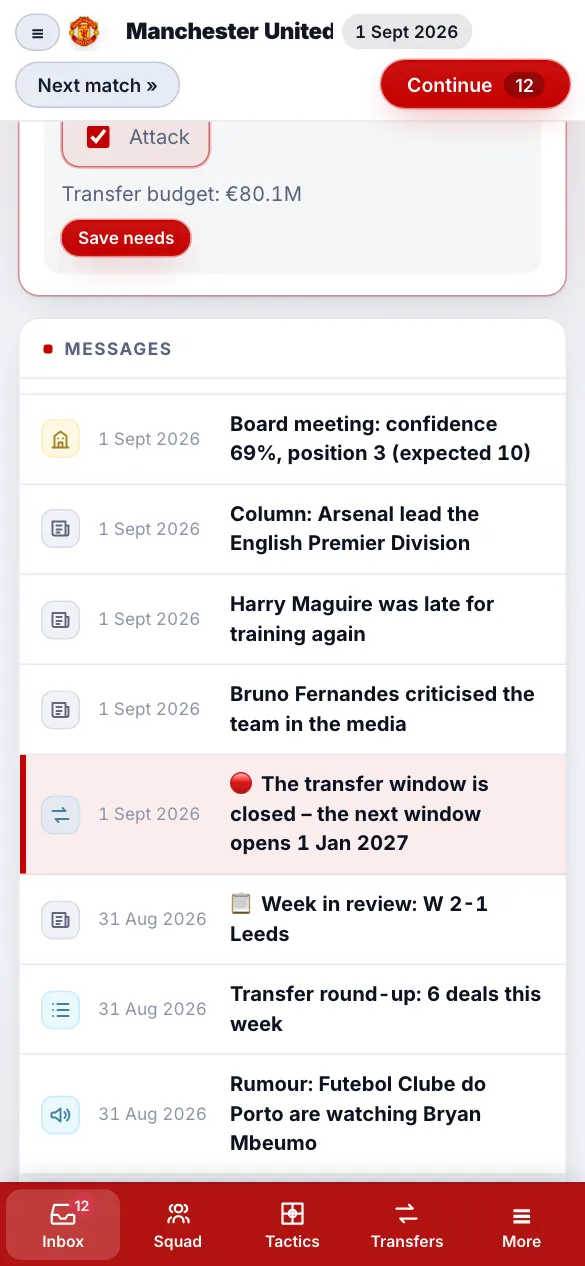
How to play
- Open cm0102reborn.com in Safari.
- Tap New game and pick the original CM 01/02 database and a club.
- Tap the share button → Add to Home Screen: it opens full-screen like an app and works offline.
Made for touch
Tap to select players, tap again to swap them, hold and drag on the tactics pitch to give forward runs, and use the classic CM 01/02 screens or a modern look. On an iPad the classic screens fit exactly like on a PC monitor.
Also: Android, Mac and Chromebook, play CM 01/02 online.
Related guides
- How the match engine works
- What every attribute does
- CA and PA explained
- Wonderkids
- 3.9.60 vs 3.9.68
- Regens
Frequently asked questions
Can I play CM 01/02 on an iPhone?
Not the original – it is a Windows game. CM Reborn, a free remake with the original 2001/02 database, runs in Safari on iPhone and iPad and can be added to the home screen.
Is CM 01/02 in the App Store?
No. CM Reborn does not need the App Store: it runs in Safari and installs from the share menu.
▶ Play free in your browser No download · no ads · works on any device