Play CM 01/02 on Android – no PC, no APK
Updated 9 November 2026
Championship Manager 01/02 was made for Windows in 2001, so it has never run on Android. The usual workarounds – emulators, Winlator, ExaGear or a remote desktop to your PC – are fiddly and drain the battery. There is a simpler way.
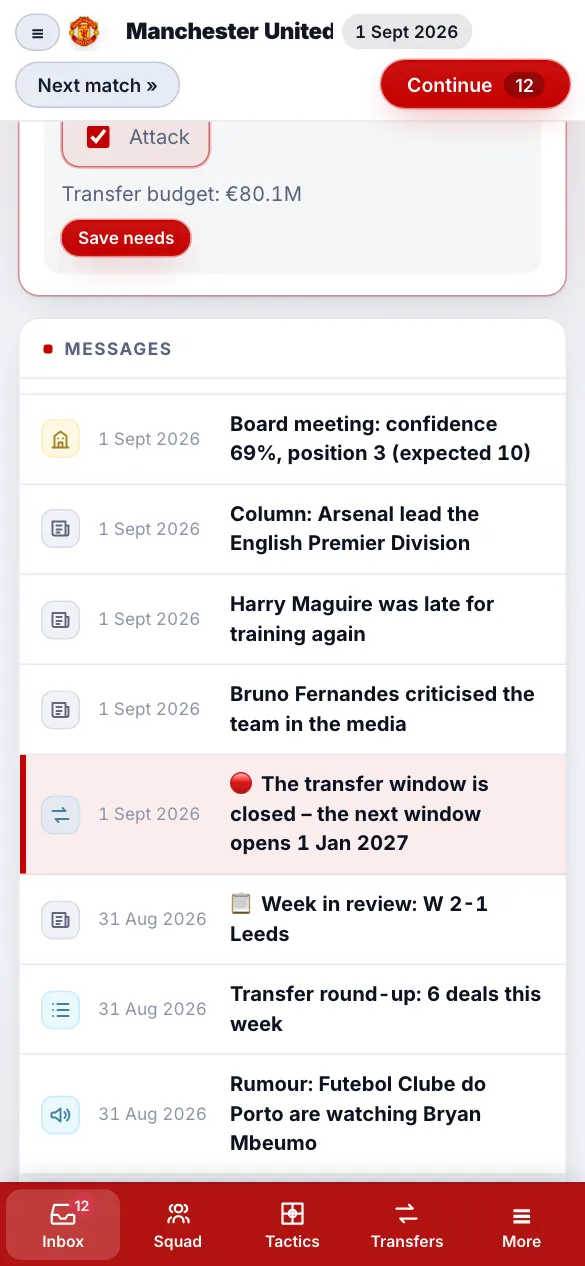
The easy way: play in Chrome
- Open cm0102reborn.com in Chrome on your phone or tablet.
- Tap New game, pick the original CM 01/02 database (3.9.60, 3.9.65 or 3.9.68) and a club.
- Tap Install (or "Add to Home screen") – it then opens like an app and works offline.
It is free, there is no APK to sideload and nothing to trust from a random download site. The screens are built for touch: tap a player to select, tap again to swap, hold and drag for forward runs.
What about emulators?
Running the real cm0102.exe on Android needs a Windows emulator, the game files and usually a no-CD fix. It can work on a fast phone, but the mouse-driven screens are hard to use with fingers, and saves are easy to lose. CM Reborn plays the same database with the classic look, made for touch.
More devices: iPhone and iPad, Mac and Chromebook, Windows 11 and Steam Deck.
Related guides
- How the match engine works
- What every attribute does
- CA and PA explained
- Wonderkids
- 3.9.60 vs 3.9.68
- Regens
Frequently asked questions
Can I play CM 01/02 on Android?
The original only runs on Windows, but CM Reborn – a free CM 01/02 remake – runs in Chrome on any Android phone or tablet, with the original 2001/02 database. No APK or PC needed.
Is there a CM 01/02 APK?
There is no official Android version. CM Reborn needs no APK: open cm0102reborn.com and install it from the browser as an app.
Does it work offline on Android?
Yes. Once installed from Chrome it works offline, and your saves stay on the device.
▶ Play free in your browser No download · no ads · works on any device